mirror of
https://github.com/GuDaStudio/geminimcp.git
synced 2026-02-05 01:50:25 +08:00

211 lines
7.8 KiB
Markdown
211 lines
7.8 KiB
Markdown

|
|
|
|
<div align="center">
|
|
|
|
**Seamless Integration Between Claude Code and Gemini CLI**
|
|
|
|
[](https://opensource.org/licenses/MIT) [](https://www.python.org/downloads/) [](https://modelcontextprotocol.io) [](https://x.com/intent/tweet?text=GeminiMCP:%20Seamless%20Integration%20Between%20Claude%20Code%20and%20Gemini%20https://github.com/GuDaStudio/geminimcp%20%23AI%20%23Coding%20%23MCP) [](https://www.facebook.com/sharer/sharer.php?u=https://github.com/GuDaStudio/geminimcp) [](https://www.reddit.com/submit?title=GeminiMCP:%20Seamless%20Integration%20Between%20Claude%20Code%20and%20Gemini&url=https://github.com/GuDaStudio/geminimcp) [](https://t.me/share/url?url=https://github.com/GuDaStudio/geminimcp&text=GeminiMCP:%20Seamless%20Integration%20Between%20Claude%20Code%20and%20Gemini)
|
|
|
|
⭐ Star us on GitHub! Your support means the world to us! 🙏😊
|
|
|
|
English | [简体中文](../README.md)
|
|
|
|
</div>
|
|
|
|
---
|
|
|
|
## 1. Overview
|
|
|
|
**Gemini-MCP** is an MCP server that wraps Google's Gemini CLI tool as a standard MCP protocol interface, enabling Claude Code to invoke Gemini for AI-assisted programming tasks.
|
|
|
|
🍟 This project provides [carefully crafted prompts](#2-configure-claude-code-prompts-optional) centered around **Gemini's exceptional frontend design capabilities** to enrich your use cases. We highly recommend configuring them!
|
|
|
|
|
|
---
|
|
|
|
## 2. Quick Start
|
|
|
|
### 0. Prerequisites
|
|
|
|
- Installed and configured [Claude Code](https://docs.claude.com/docs/claude-code)
|
|
- Installed and configured [Gemini CLI](https://github.com/google-gemini/gemini-cli)
|
|
- Installed [uv tool](https://docs.astral.sh/uv/getting-started/installation/)
|
|
|
|
**Installing uv:**
|
|
|
|
Windows (PowerShell):
|
|
```powershell
|
|
powershell -ExecutionPolicy ByPass -c "irm https://astral.sh/uv/install.ps1 | iex"
|
|
```
|
|
|
|
Linux/macOS:
|
|
```bash
|
|
curl -LsSf https://astral.sh/uv/install.sh | sh
|
|
```
|
|
|
|
> **Note: Windows users are strongly recommended to run this project in WSL!**
|
|
|
|
### 1. Installation Steps
|
|
|
|
**1.1** Install GeminiMCP
|
|
|
|
```bash
|
|
claude mcp add gemini -s user --transport stdio -- uvx --from git+https://github.com/GuDaStudio/geminimcp.git geminimcp
|
|
```
|
|
|
|
**1.2** Verify Installation
|
|
|
|
```bash
|
|
claude mcp list
|
|
```
|
|
|
|
> If you see `gemini: ... - ✓ Connected`, the installation was successful
|
|
|
|
**1.3** Optional: Configure Auto-Allow
|
|
|
|
Add `mcp__gemini__gemini` to the allow list in `~/.claude/settings.json`
|
|
|
|

|
|
|
|
### 2. Configure Claude Code Prompts (Optional)
|
|
|
|
To enable optimal collaboration between Claude Code and Gemini, we **strongly recommend adding the following content to `~/.claude/CLAUDE.md`**
|
|
|
|
<details>
|
|
<summary>Click to view prompt</summary>
|
|
|
|
|
|
```
|
|
## Core Instruction for Gemini MCP
|
|
|
|
At any point, you must consider how the current process can collaborate with Gemini and how to invoke the Gemini MCP tools as a guarantee for your **objective and comprehensive analysis**.
|
|
|
|
You **must execute** the following steps:
|
|
|
|
**1** After you **form an initial analysis** of the user's requirements:
|
|
(1) First, inform Gemini of the user's **original requirements (verbatim, no paraphrasing)** and your initial approach;
|
|
(2) Engage in **thorough discussion and debate** with Gemini to refine requirement analysis and implementation plans. This step concludes only when you have **ensured a thorough understanding of user requirements and generated a practical action plan**.
|
|
|
|
**2** Before implementing specific coding tasks, you **must request a code implementation prototype from Gemini** (require Gemini to provide only unified diff patches, strictly prohibit any actual code modifications). After obtaining the code prototype, you **may only use it as a logical reference, then rewrite the code modifications** to create production-grade, highly readable, and maintainable code before implementing the actual programming modifications.
|
|
- **Note:** Gemini excels at frontend code and is proficient in styling and UI component design. When working with frontend code, you must request code prototypes from it (CSS/React/Vue/HTML and other frontend code). At all times, you **must use Gemini's frontend design (prototype code) as the foundation for final frontend code**.
|
|
- For example, when you identify that a user has provided frontend design requirements, your first action must automatically shift to forwarding the user's requirements verbatim to Gemini and having it produce code examples (strictly prohibit any modifications or abbreviations to user requirements at this stage). That is, you must obtain the code foundation from Gemini before proceeding with any subsequent actions.
|
|
|
|
## Gemini Tool Invocation Specification
|
|
|
|
1. Tool Overview
|
|
|
|
Gemini MCP provides a tool called `gemini` for invoking Google Gemini models to execute AI tasks. This tool possesses exceptional frontend aesthetics, task planning, and requirement understanding capabilities, but has limitations in **context length (Effective 32k)**.
|
|
|
|
2. Usage and Specifications
|
|
|
|
**Mandatory Restrictions**:
|
|
- **Session Management**: Capture the returned `SESSION_ID` for multi-turn conversations.
|
|
- **Backend Avoidance**: Strictly prohibit Gemini from writing complex backend business logic code.
|
|
|
|
**Optimal Scenarios (Must Prioritize Gemini Invocation)**:
|
|
- **Requirement Clarification**: Assist in generating guiding questions during the task initiation phase.
|
|
- **Task Planning**: Generate step-by-step implementation plans.
|
|
- **Frontend Prototypes**: Write CSS, HTML, UI component code, and adjust styling.
|
|
|
|
```
|
|
|
|
</details>
|
|
|
|
|
|
---
|
|
|
|
## 3. Tool Documentation
|
|
|
|
<details>
|
|
|
|
<summary>Click to view gemini tool details</summary>
|
|
|
|
### gemini Tool
|
|
|
|
| Parameter | Type | Required | Default | Description |
|
|
|------|------|------|--------|------|
|
|
| `PROMPT` | `str` | ✅ | - | Task instructions sent to Gemini |
|
|
| `sandbox` | `bool` | ❌ | `False` | Enable sandbox mode |
|
|
| `SESSION_ID` | `str` | ❌ | `""` | Session ID (empty for new session) |
|
|
| `return_all_messages` | `bool` | ❌ | `False` | Return complete message history |
|
|
| `model` | `str` | ❌ | `""` | Specify model (defaults to Gemini CLI config) |
|
|
|
|
### Return Value Structure
|
|
|
|
**On Success:**
|
|
```json
|
|
{
|
|
"success": true,
|
|
"SESSION_ID": "session-uuid",
|
|
"agent_messages": "Gemini's response content..."
|
|
}
|
|
```
|
|
|
|
**When return_all_messages is enabled, additionally includes:**
|
|
```json
|
|
{
|
|
"all_messages": [...]
|
|
}
|
|
```
|
|
|
|
**On Failure:**
|
|
```json
|
|
{
|
|
"success": false,
|
|
"error": "Error description"
|
|
}
|
|
```
|
|
|
|
|
|
</details>
|
|
|
|
---
|
|
|
|
|
|
|
|
## 4. FAQ
|
|
|
|
<details>
|
|
<summary>Q1: What's the difference from using Gemini CLI directly?</summary>
|
|
|
|
GeminiMCP wraps Gemini CLI as an MCP protocol, enabling programmatic invocation by Claude Code with support for session management and structured returns.
|
|
|
|
</details>
|
|
|
|
<details>
|
|
<summary>Q2: Will sessions conflict?</summary>
|
|
|
|
No. Each session uses an independent `SESSION_ID`, ensuring complete isolation.
|
|
|
|
</details>
|
|
|
|
---
|
|
|
|
## 🤝 Contributing
|
|
|
|
```bash
|
|
# Clone repository
|
|
git clone https://github.com/GuDaStudio/geminimcp.git
|
|
cd geminimcp
|
|
|
|
# Install dependencies
|
|
uv sync
|
|
```
|
|
|
|
---
|
|
|
|
## 📄 License
|
|
|
|
This project is licensed under the [MIT License](../LICENSE).
|
|
|
|
Copyright (c) 2025 [guda.studio](mailto:gudaclaude@gmail.com)
|
|
|
|
---
|
|
<div align="center">
|
|
|
|
## Power this project with a 🌟~
|
|
|
|
</div>
|
|
|
|
[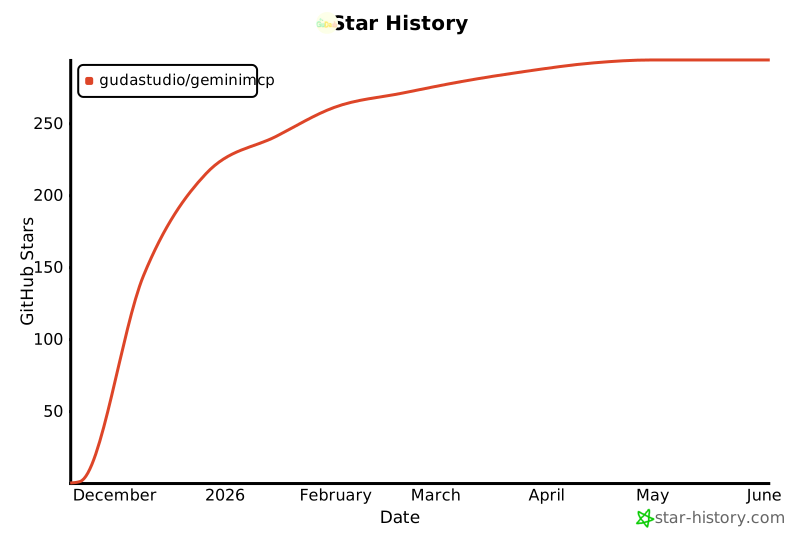](https://www.star-history.com/#GuDaStudio/geminimcp&type=date&legend=top-left)
|